
How to Manage Active LTO Contract
Once you've started a Lease-to-Own (LTO) contract on Bitlease, you can monitor and manage your active leases through the OWNING section. This article guides you through viewing your lease details, tracking progress, and understanding your payment obligations.
Accessing Your Active Leases
Step 1: Navigate to the OWNING Section
Log in to your Bitlease account
Click OWNING in the main navigation menu
You'll see your "My Ownership Pad" dashboard
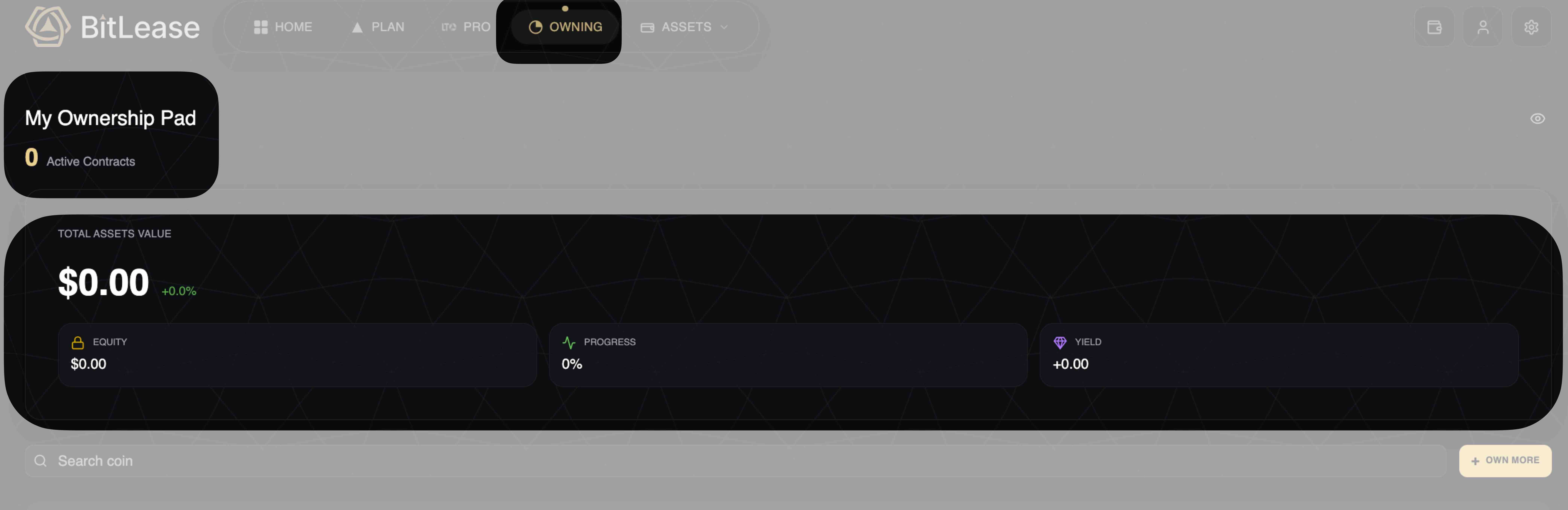
What You'll See on Your Dashboard:
Total Assets Value: The current value of all assets in your active leases
Active Contracts: Number of LTO contracts currently running
Equity: The portion you've already paid toward ownership
Progress: Percentage of your lease term completed
Yield: Interest earned on your position (if applicable)
Your Lease Dashboard
Active Contracts State
Active leases, your dashboard shows:
Total Assets Value: Real-time valuation of leased assets
Equity: Your accumulated ownership stake
Progress: Visual indicator (0% at start, increasing with each payment)
Yield: Returns generated during the lease period
Monitoring Lease Progress
Key Metrics to Track
1. Progress Indicator
Shows the percentage of the lease term completed
Updates automatically after each payment
Displayed as "0%" at lease start, "100%" at completion
2. Equity Accumulation
Tracks the portion of the asset you own
Increases with each installment payment
Calculated based on your down payment and completed installments
3. Total Assets Value
Live market value of your leased cryptocurrency
Updates in real-time based on market conditions
Format: ₿0.00000000 (or equivalent crypto unit)
Payment Management
Active Payment Obligations
Your active leases require regular payments according to your chosen schedule:
Payment Details Visible:
Payment frequency (Weekly/Monthly)
Number of remaining payments
Next payment due date
Payment amount in chosen currency (USDT/LTO)
Payment Sources
Payments are automatically deducted from your FUNDING wallet. Ensure sufficient balance before each due date.
Based on your lease setup:
Down Payment Currency: Can be USDT or LTO
Installment Payments: Processed from FUNDING wallet
Insurance Fee: Included in total cost (6% annually)
APR Fee: Applied based on plan terms (varies by contract)
Managing Multiple Leases
If you have multiple active contracts:
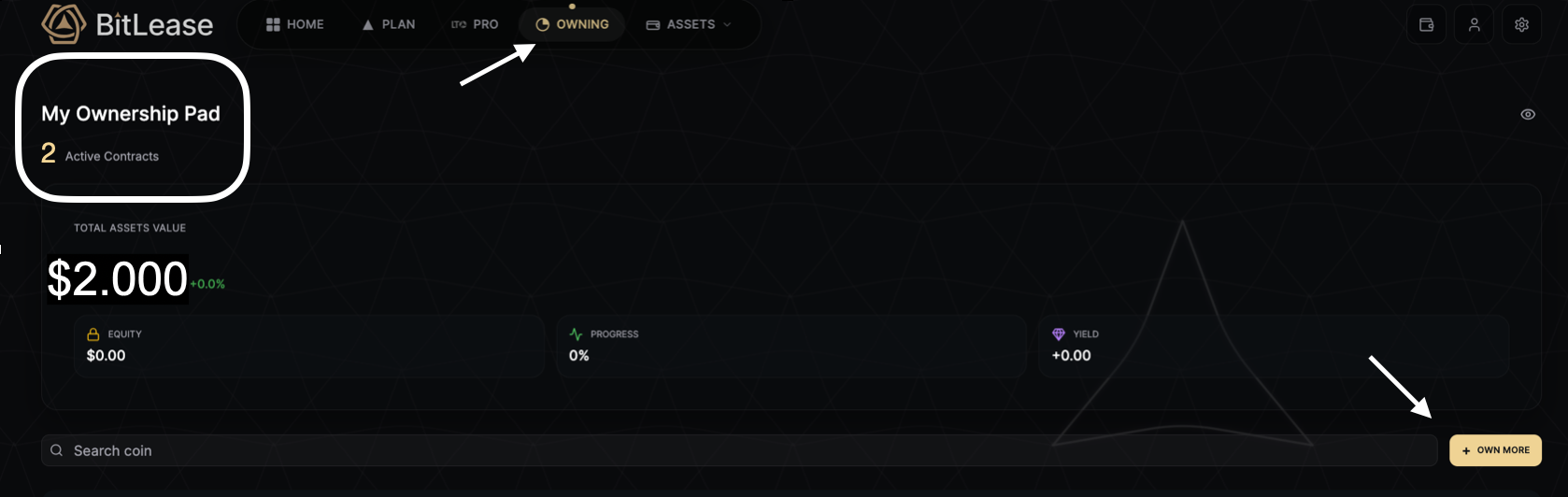
All leases display in your "My Ownership Pad."
Use the "Search coin" feature to filter by asset type
Click "+ OWN MORE" to start additional leases
Each contract maintains independent progress tracking
Lease Contract Details
For each active lease, you can view:
Financial Breakdown
Principal: Original asset value at lease start
To Finance: Amount being paid through installments
Platform Fee: 1.5% of total value
APR Fee: Annual percentage rate (e.g., 8% annually)
Insurance Fee: 6% annually for asset protection
Total Cost: Complete payment obligation
Contract Terms
Down Payment: Initial equity percentage (e.g., 35%)
APR: Interest rate (e.g., 4.00%)
Term: Duration in months (e.g., 6 Mo)
Payment Interval: Weekly or Monthly
Contract Tenor: Total lease period (3M, 6M, 12M, 18M, 24M)
Tracking Your Journey to Ownership
Your lease progresses through clear stages:
Stage 1: Active Lease (0%–99% Progress)
Making scheduled payments
Building equity with each installment
Asset value tracked in "My Ownership Pad."
Stage 2: Lease Completion (100% Progress)
All payments completed
Full ownership transferred
Asset moves to your portfolio permanently
Troubleshooting
For detailed solutions to common lease management issues, see: →
Troubleshooting Managing Active Leases
Need Help?
If you encounter issues during account creation that this article does not resolve:
Contact Bitlease Support:
Email: support@bitlease.com
Subject: "Active LTO Issue"
Include: Description of the problem, any error messages, and steps you have already tried
Response time: Within 24 hours
For urgent security concerns:
Email: security@bitlease.com
For more information about the leasing system, see: → What is Leasing on Bitlease
(Article 11)