
Understanding Your LTO Position
Understanding Your LTO Position
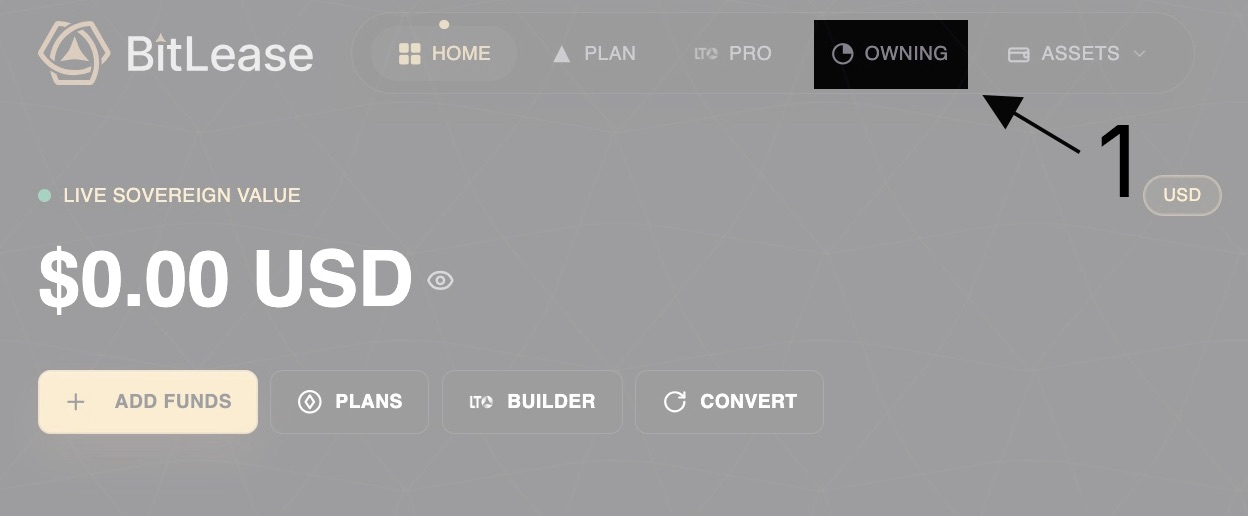
Once you’ve created an LTO position, you can track and manage it through the OWNING section.
Viewing Active Contracts
Navigate to the OWNING section to access your "My Ownership Pad" dashboard:
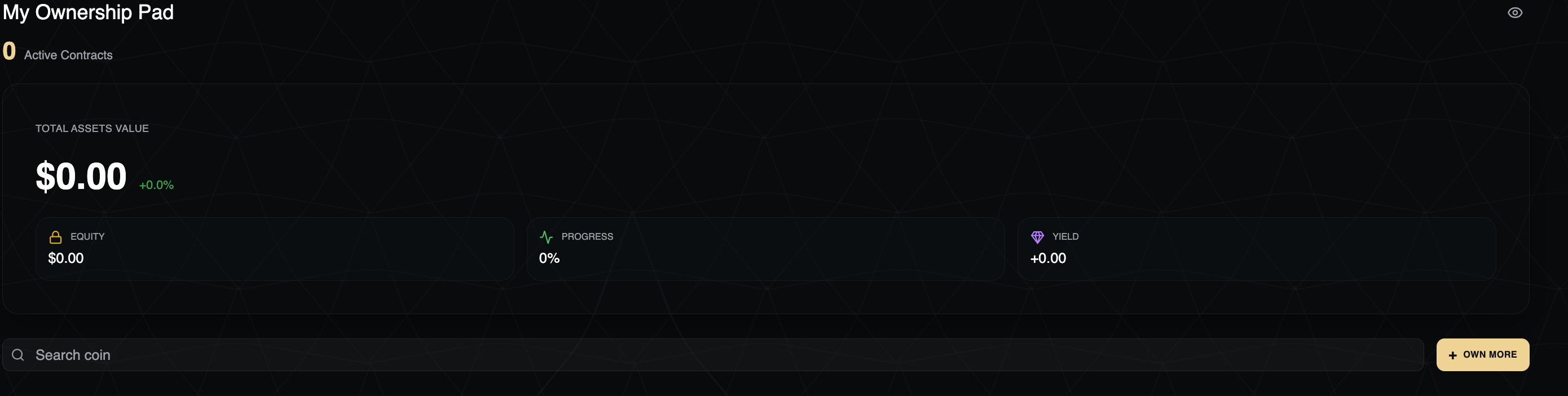
Key Metrics
Total Assets Value: Combined value of all your LTO positions (shown in BTC).
EQUITY: The amount you currently own.
PROGRESS: Percentage of the lease completed (0% to 100%).
YIELD: Total yield earned on your position.
Contract Status
Active Contracts: View the count of ongoing leases.
Search Functionality: Find specific coins or contracts.
+ OWN MORE: Create additional positions.
Screenshot 2026-02-17 at 8.26.47 PM 1.png
Important Notes
Insufficient Balance Warning
If your selected wallet doesn’t have enough funds, you’ll see:
"Insufficient USDT balance" alert in red.
"Need $X.XX more" showing the exact shortfall.
Ensure you have adequate funds in your chosen payment wallet before starting an LTO.
Contract Activation
Market Orders: Execute immediately.
Limit Orders: Activate only when your target price is reached.
Monitor your "Active Contracts" count in the OWNING section.
Need Help?
If you encounter issues with your LTO position, contact BitLease Support:
Email: support@bitlease.com
Subject: "LTO Contract Issue"
Include: A description of the problem, any error messages, and steps you’ve already tried.
Response Time: Within 24 hours.
For urgent security concerns, email: security@bitlease.com.
These two articles provide a comprehensive overview of how leasing works on BitLease and how to manage LTO positions effectively.