
Managing Your Personal Information & Identity Verification
Your personal information forms the foundation of your Bitlease account. This information ensures compliance with financial regulations, protects your assets, and enables secure access to Lease-to-Own contracts.
This article explains how to manage your account details, understand verification requirements, and maintain regulatory compliance.
Accessing Your Account Settings
Your account settings appear in the Account section. To access this:
Click the user icon in the top-right corner of the platform
Select Account from the dropdown menu
The Account screen opens
You see your account information displayed in organized sections.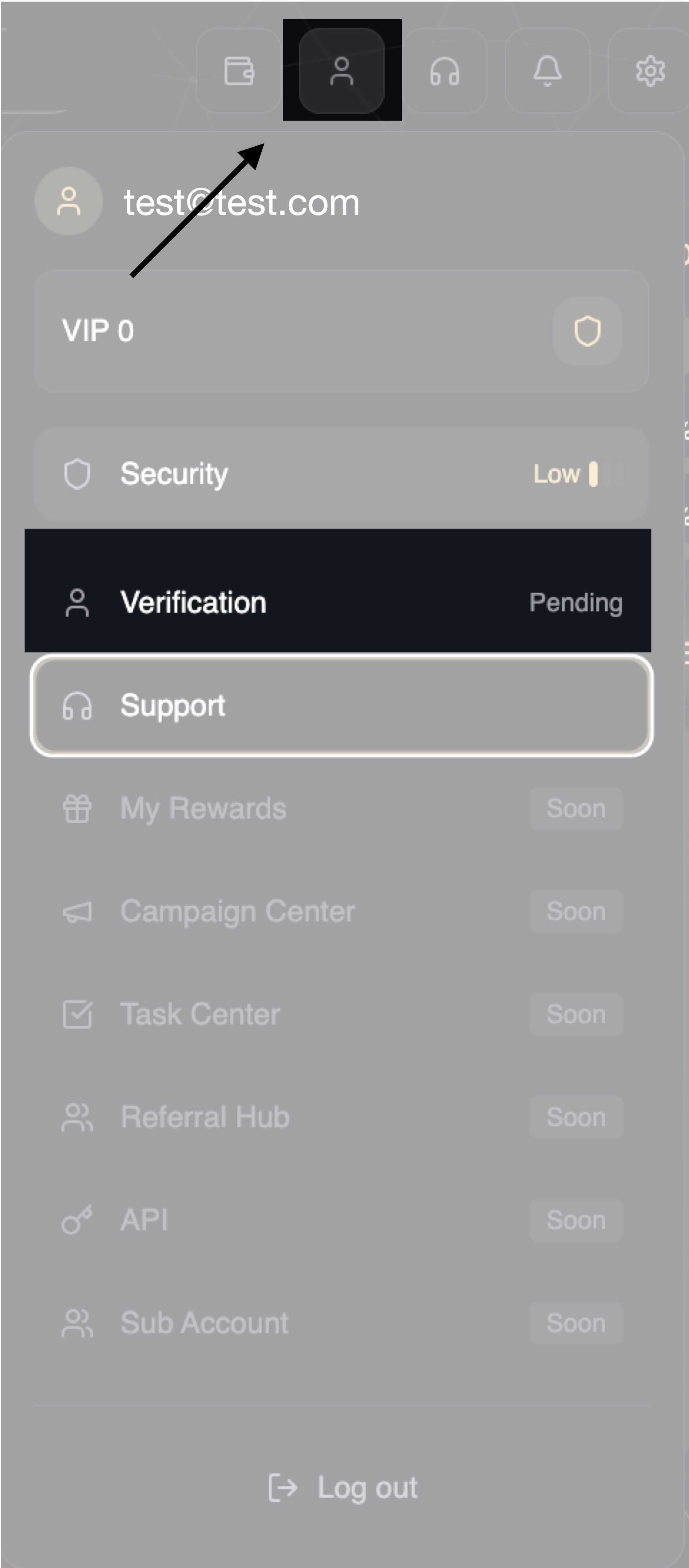
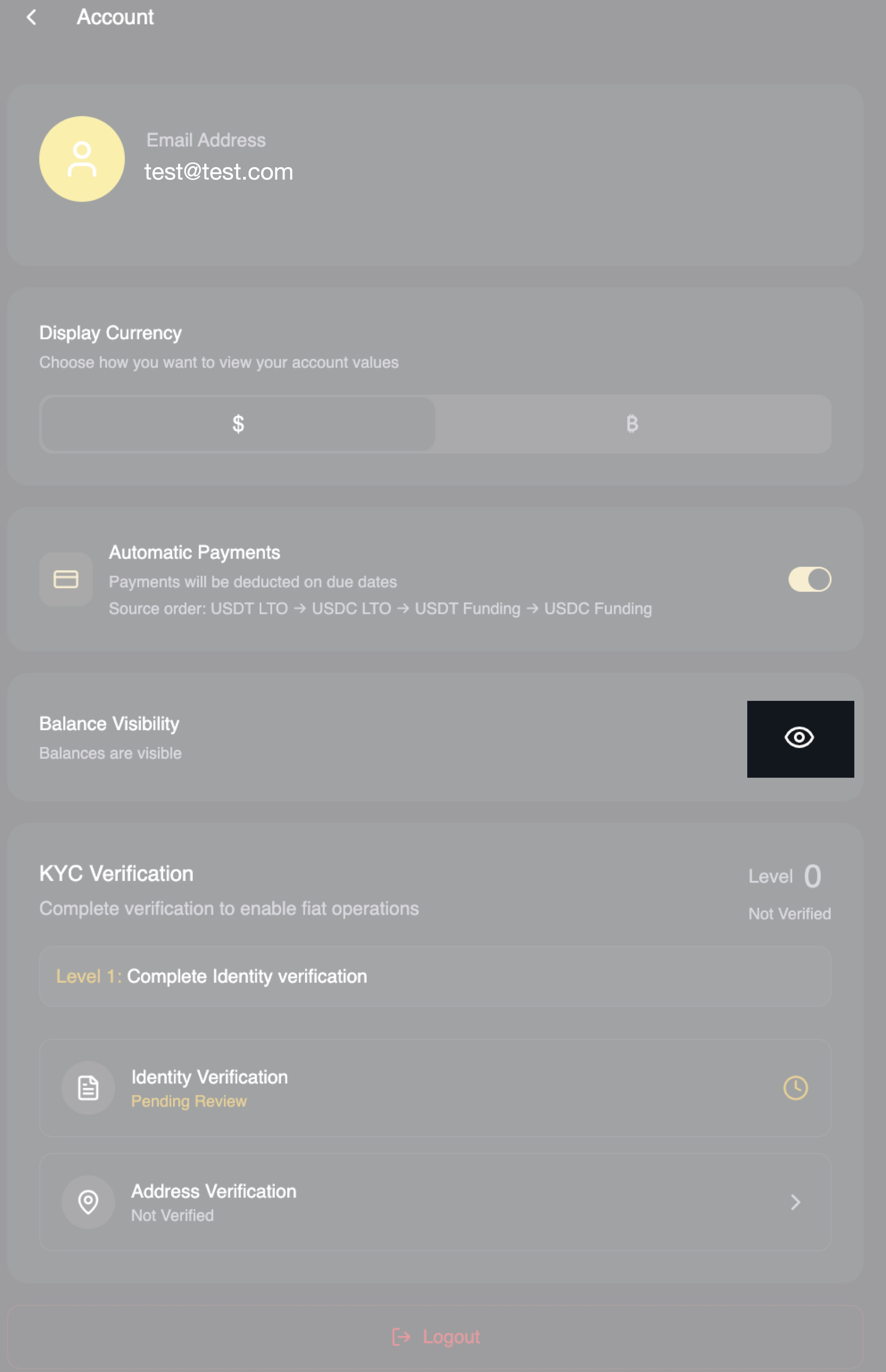
Display Currency
Below your email address, you see:
Display Currency
Subtitle: "Choose how you want to view your account values."
Two options appear as toggle buttons:
$ (Dollar symbol)
Values display in USD (United States Dollars)
₿ (Bitcoin symbol)
Values display in BTC (Bitcoin)
One option highlights your current selection.
Automatic Payments
What You See
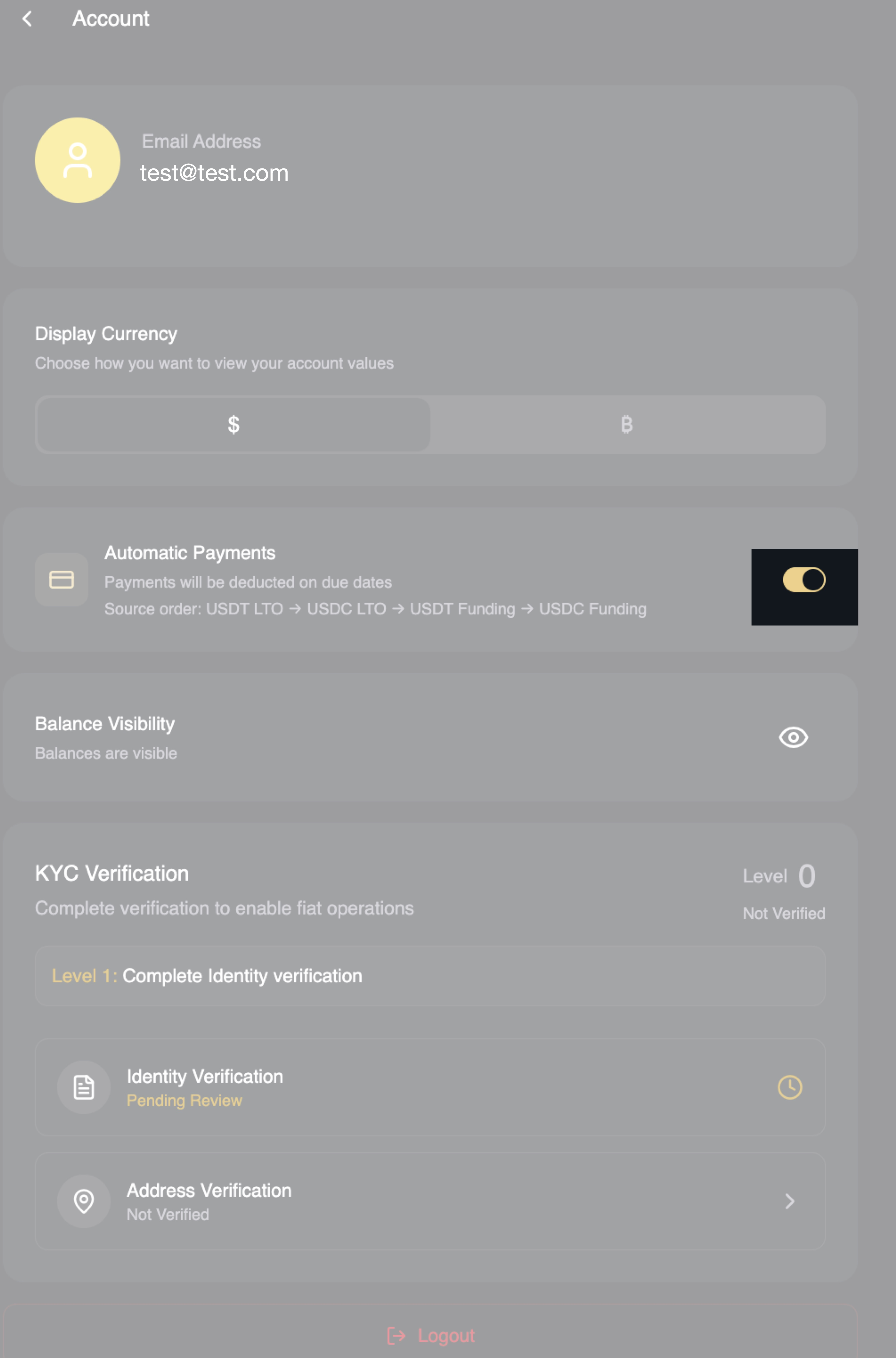
Below Display Currency, you see:
Automatic Payments
Subtitle: "Payments will be deducted on due dates"
A toggle switch appears on the right side. When enabled (gold color), automatic payments are active.
Below the toggle, you see:
"Source order: USDT LTO → USDC LTO → USDT Funding → USDC Funding"
How Automatic Payments Work
When you have active LTO contracts, payments are due at scheduled intervals (weekly or monthly depending on your contract).
With Automatic Payments enabled, the platform automatically deducts your payment on the due date.
Payment Source Priority:
The system follows a specific order when looking for funds:
USDT LTO - First checks your USDT in LTO wallet
USDC LTO - If insufficient USDT LTO, checks USDC in LTO wallet
USDT Funding - If still insufficient, check USDT in FUNDING wallet
USDC Funding - Final option checks USDC in FUNDING wallet
This structure ensures the system uses available funds efficiently without requiring manual intervention.
Why Automatic Payments Help
Avoids Late Fees
Manual payments require you to remember due dates. Automatic payments process on time every time.
Maintains Contract Continuity
LTO contracts can terminate if you miss multiple payments. Automatic payments protect your ownership progress.
Reduces Effort
Once enabled, you do not need to manually process each installment.
Managing Automatic Payments
To Enable:
Click the toggle switch. It turns gold, and automatic payments activate.
To Disable:
Click the toggle switch again. It turns gray, and automatic payments stop.
If You Disable Automatic Payments:
You become responsible for making manual payments before each due date. Set reminders so you do not miss payments.
Important: Even with automatic payments enabled, ensure a sufficient balance in your wallets. If the system cannot find enough funds across all four sources, the payment fails, and you may incur late fees.
Identity Verification (KYC)
What KYC Means
KYC stands for "Know Your Customer." This is a regulatory requirement that applies to financial platforms globally.
KYC verification confirms:
You are a real person
Your identity matches official documents
You are not on sanctions lists or restricted from using financial services
You meet age and jurisdiction requirements
Why Bitlease Requires KYC:
Bitlease operates as a regulated financial infrastructure. Regulators require identity verification to prevent:
Money laundering
Terrorist financing
Fraud
Underage access to financial products
This is not unique to Bitlease. Banks, investment platforms, and cryptocurrency exchanges all require KYC.
KYC Levels on Bitlease
Bitlease uses tiered verification based on what features you want to access.
Basic Platform Access
Requires email verification and basic identity information.
LTO Contract Creation
Requires full KYC, including government-issued ID verification, proof of address, and sometimes biometric verification (facial recognition).
What Documents KYC Requires
Government-Issued ID
Passport, driver's license, or national identity card. The document must be:
Currently valid (not expired)
Clearly readable in photos
Issued by your country of residence
Proof of Address
Utility bill, bank statement, or government correspondence. The document must be:
Issued within the last 3 months
Show your full name, matching your ID
Show your complete residential address
Selfie/Biometric Verification
A photo of yourself holding your ID or a liveness check (video where you follow on-screen instructions). This confirms you are the same person shown in your ID document.
For Enhanced Verification (Institutional Access):
Source of funds documentation
Proof of income or wealth
Business registration (for corporate accounts)
Ultimate Beneficial Owner (UBO) disclosure
How to Complete KYC
The platform prompts you to complete KYC when you attempt to access features requiring verification.
CATEGORY 1 GETTING STARTED/Article 4 How to Verify your Identity (KYC Ptocess).md
Typical KYC Flow:
Click the feature requiring KYC (example: Create LTO Contract)
System detects incomplete verification
You see the message: "KYC Verification Required."
Click "Begin Verification"
Follow the on-screen instructions to upload documents
Complete biometric verification if prompted
Submit for review
Processing Time:
Basic KYC typically processes within minutes to a few hours. Complex cases may take 24-48 hours if manual review is needed.
KYC Status Indicators
Your KYC status appears when verification is relevant:
Not Started
You have not begun the KYC process.
Pending
Your documents are under review. Wait for confirmation.
Approved
Verification complete. You can access all features matching your verification level.
Rejected
Documents did not meet requirements. Check email for specific reasons and resubmit with corrections.
Expired
Some KYC verification expires after a set period (usually 1-2 years). You must update documents to maintain access.
How Bitlease Protects Your Information
Your personal information is protected through multiple security layers:
All data is encrypted both in transit (when moving between systems) and at rest (when stored in databases).
Segregated Storage
Personal information is stored separately from financial transaction data. This limits exposure if any single system is compromised.
Compliance with Privacy Laws
Bitlease complies with GDPR (EU), data protection regulations in the UAE, and other jurisdiction-specific privacy requirements.
Need Help?
If you encounter issues that this article does not resolve:
Contact Bitlease Support:
Email: support@bitlease.com
Subject: "personal information Issue"
Include: Description of the problem, any error messages, and steps you have already tried
Response time: Within 24 hours
For urgent security concerns:
Email: security@bitlease.com